Department Org Chart from Excel: Role Hierarchy Template
Use one row per role when you need to map a department before assigning named employees. The role IDs and Reports to values below drive this editable QueryChart org tree.
Department Org Chart from Excel: Role Hierarchy Template
Illustrative, editable whole-company structure. Adapt roles and relationships to your organization.
About this company template
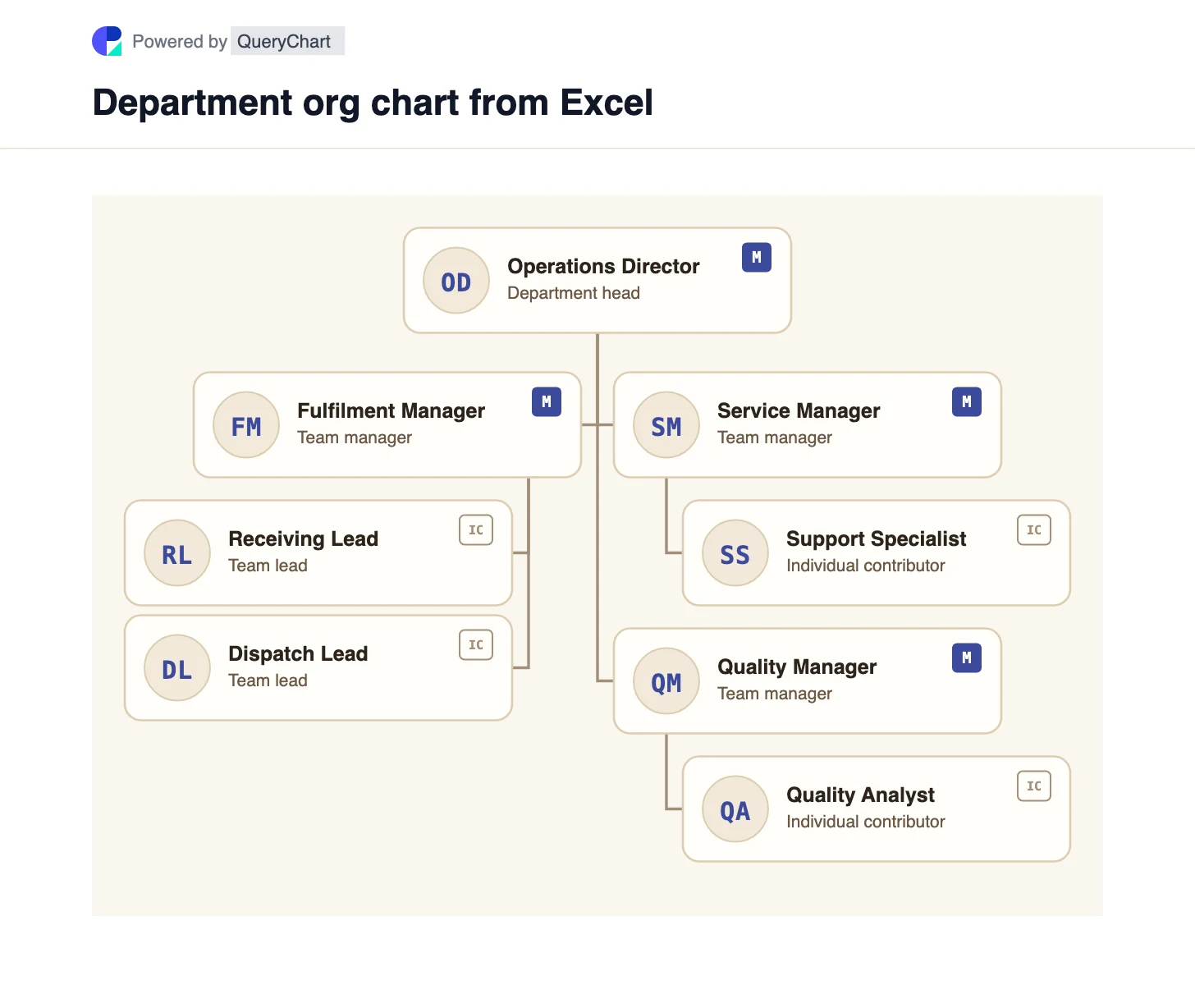
This is a role hierarchy rather than a personnel directory. D01 is the Operations Director and the only root. Fulfilment, Service and Quality managers report to D01. Receiving and Dispatch report to Fulfilment; Support reports to Service; Quality Analyst reports to Quality. The Excel table below records those relationships explicitly.
Keep Employee ID as a stable position key even when a person leaves or a role is vacant. Name is the visible role label in this example, Title describes its level, and Department records the operating group. Reports to is the only column that establishes a parent. Copy the editable tree and replace the role labels or add people in QueryChart's OrgSheet.
If your source is a personnel roster with named employees, use /org-templates/employee-manager-excel-org-chart instead. If the result must be a native Visio file, /guides/how-to-create-org-chart-from-excel-in-visio explains Microsoft's Organization Chart Wizard.
Example Excel reporting table
Each Reports to value matches another row's Employee ID. The top role has a blank Reports to cell.
| Employee ID | Name | Title | Reports to | Department |
|---|---|---|---|---|
| D01 | Operations Director | Department head | Operations | |
| D10 | Fulfilment Manager | Team manager | D01 | Fulfilment |
| D20 | Service Manager | Team manager | D01 | Customer Service |
| D30 | Quality Manager | Team manager | D01 | Quality |
| D11 | Receiving Lead | Team lead | D10 | Fulfilment |
| D12 | Dispatch Lead | Team lead | D10 | Fulfilment |
| D21 | Support Specialist | Individual contributor | D20 | Customer Service |
| D31 | Quality Analyst | Individual contributor | D30 | Quality |
How the department roles connect
The three team managers are direct children of the Operations Director. Two Fulfilment leads sit beneath Fulfilment Manager; the other managers each have one example report. These are reporting connections, not steps in an operational workflow.
To adapt the Excel structure, assign a unique key to every role, leave one root without a manager, and make each other Reports to value match an existing key. Departments can be renamed without changing reporting lines.
A dotted-line project relationship is not another manager in this single-parent tree. Record temporary responsibilities separately rather than putting two values in Reports to.
Lead role
Operations Director
Illustrative department head — D01 is the only root role in the source table.
How to adapt this structure
A role-level chart can be planned before a position is filled.
Stable role keys keep the management tree clear when department labels change.
Design tradeoffs
- Vacant roles remain visible in the target structure.
- A role chart does not identify the current person occupying each position; maintain that in a separate roster.
What this chart shows
- The sample has eight distinct roles across four operating groups.
- It uses QueryChart's org-tree renderer, not the process-flowchart renderer.
- Only D01 has a blank Reports to value.
- The two Fulfilment leads share the same manager key.
Related process templates
Related company structures
Frequently asked questions
Can the Name column contain a role instead of a person?
Yes for this illustrative QueryChart role tree. For a personnel org chart in Visio, use the employee name and reporting columns required by the Organization Chart Wizard.
Does Department create the reporting line?
No. Reports to names the parent role ID. Department is a descriptive grouping.
Can a role report to two managers here?
This org tree models one primary parent per row. Record project or advisory relationships separately instead of entering two manager keys.
Use this org chart template
Open the example and adapt its roles and primary reporting lines.