How to Prepare Data for a Sankey Chart
Turn raw rows into the source, target and value list a Sankey chart needs: aggregate first, name nodes consistently and check that every node balances before you chart.
A Sankey chart needs one row per flow: where it starts, where it ends and how much. Most problems with a chart come from raw data that was not reduced to that shape first.
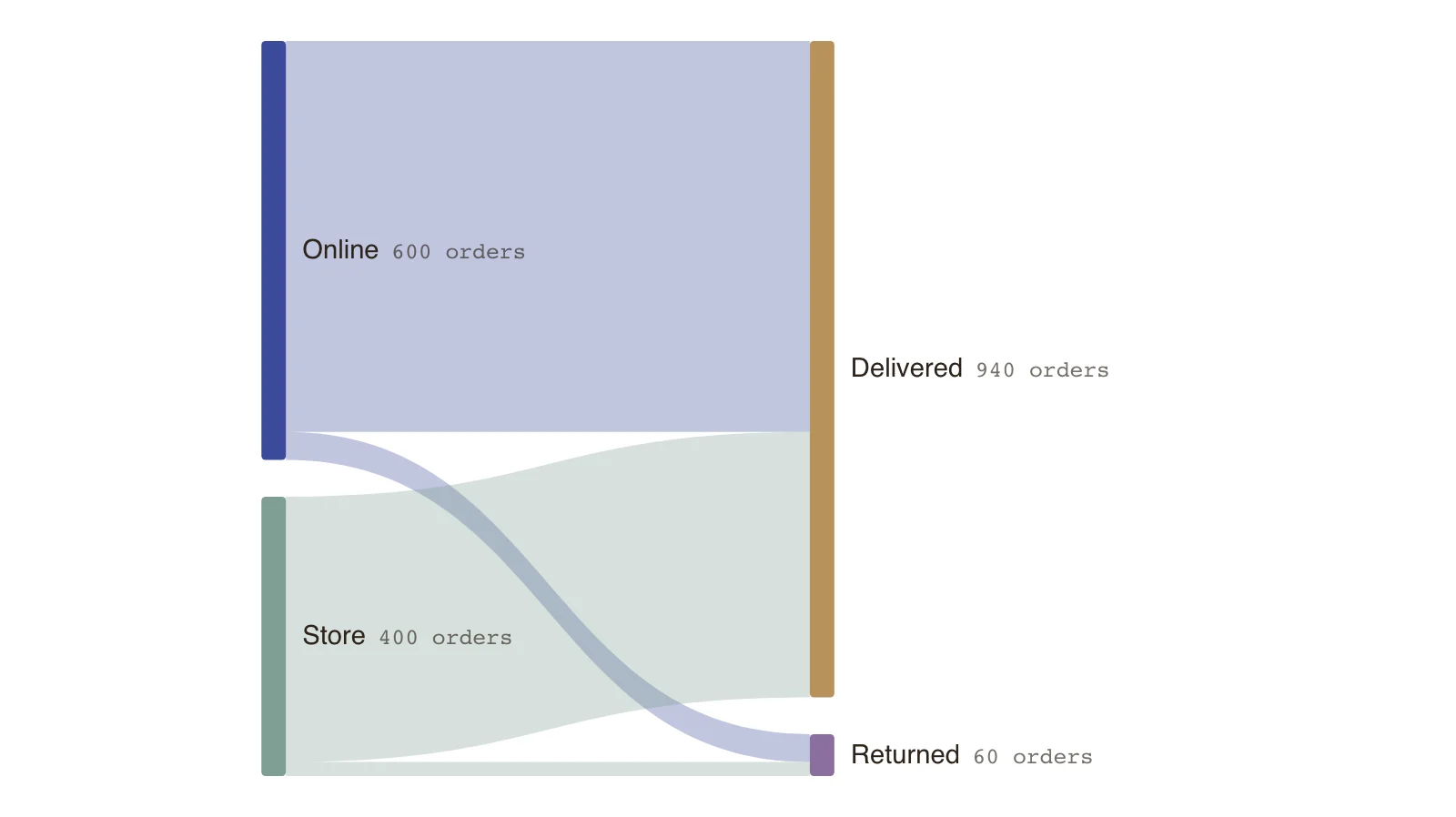
Data usually arrives as one row per order, ticket or transaction, with columns for attributes. A Sankey needs the totals of those rows grouped by pairs of categories. The example shows the result for two sales channels and two outcomes.
Doing this preparation in a spreadsheet or a query keeps the chart simple and the numbers checkable. The sections below take it step by step.
One row per flow
Each row of the list has a source, a target and a value. If your data has a row per order, group it by the two columns you want to connect and sum or count the rows.
- Source: where the quantity starts.
- Target: where it goes next.
- Value: how much, in one unit throughout.
Aggregate before you chart
Thousands of raw rows are not a Sankey. Group them first, and group small categories into Other so that the chart stays readable.
Name nodes consistently
Delivered, delivered and DELIVERED are three nodes to a chart. Trim spaces, fix capitalisation and merge spelling variants before you import.
Check that nodes balance
For every node in the middle, what goes in should equal what goes out. In the example, online sends 600 orders out and store 400; delivered receives 940 and returned 60. A mismatch means a missing row or a category you dropped.
Key points
- 1,000 orders split by channel and outcome: 940 delivered and 60 returned.
- Online has a 6.7% return rate (40 of 600) and store 5% (20 of 400).
- Four rows of totals replace a thousand rows of orders.
- The figures are invented.
The example’s data
Invented order counts, balanced at every node.
| From | To | Amount (orders) |
|---|---|---|
| Online | Delivered | 560 |
| Online | Returned | 40 |
| Store | Delivered | 380 |
| Store | Returned | 20 |
The same data as CSV
source,target,value
Online,Delivered,560
Online,Returned,40
Store,Delivered,380
Store,Returned,20
How it works
Choose the two columns to connect
Pick the categories that are the start and the end of each flow.
Group and total
Group by the pair and sum or count to get a value for each combination.
Clean the names
Standardise spelling, spacing and capitalisation, and group small categories.
Check and import
Confirm the totals, then paste the list or type the rows.
Frequently asked questions
What format does QueryChart accept?
A table of flows with a source, a target and a value, typed in the sheet or pasted. See the CSV page for details.
Do I need all categories?
No. Keep the ones that matter and group the rest, but keep the total unchanged so the chart still balances.
Edit this example
Open the example as your own chart and replace it with your flows.