Sankey Chart Values Don't Match: How to Find the Gap
If the ribbons going into a node are not as wide as the ones leaving it, a number is missing or wrong. Learn the usual causes and how QueryChart's warnings help you find them.
In a conserved flow, what enters a node must leave it. When the ribbons in and out differ, the chart is telling you the data has a gap.
QueryChart checks every node that has both inflows and outflows. If more leaves a node than enters it, it shows a warning; if less leaves than enters, it shows a note. A node whose amounts are not all filled in is skipped, since its totals are partial, and the missing amount is flagged instead.
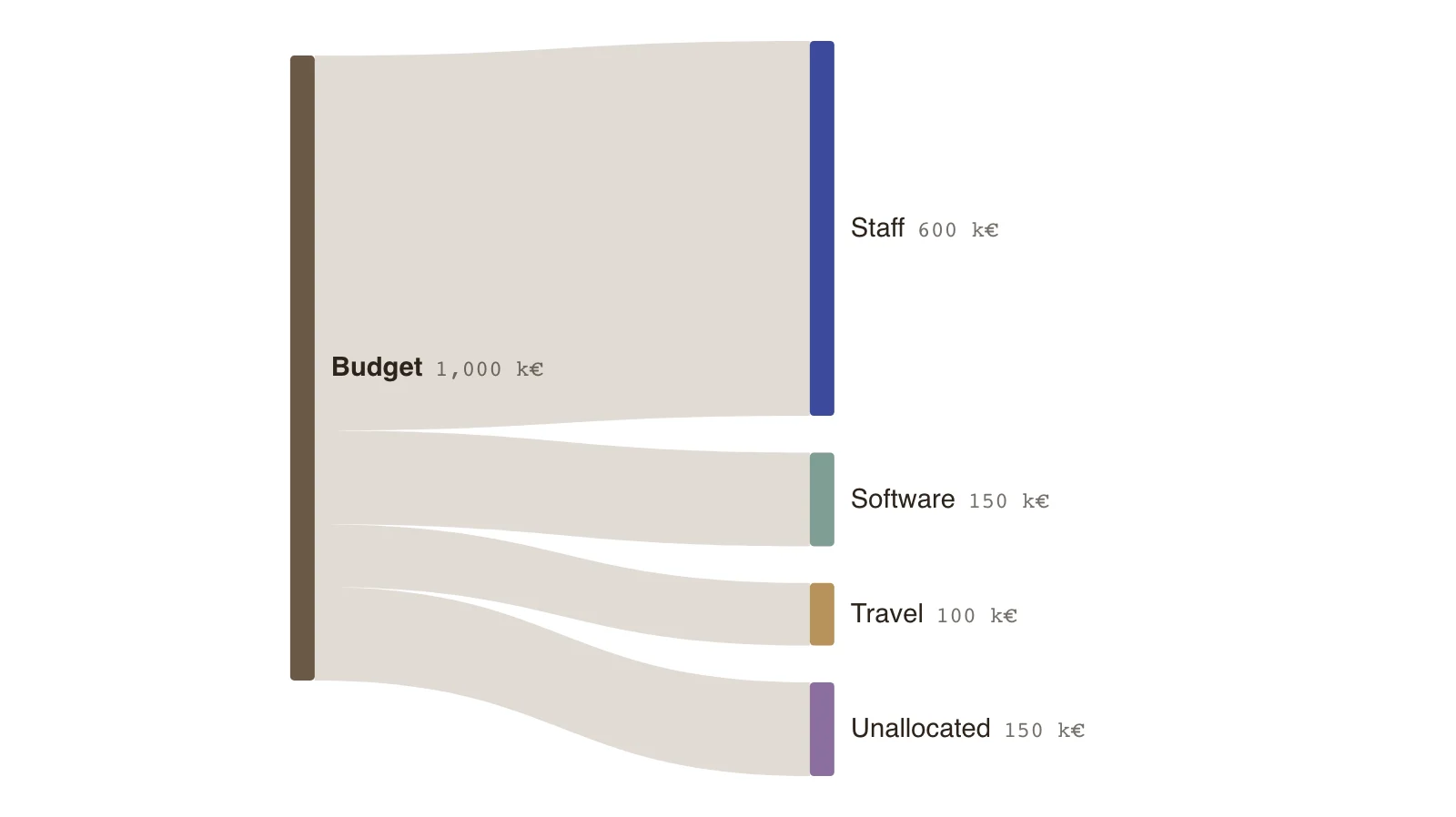
The example shows the clean way to handle a remainder: an explicit Unallocated node, so the budget balances and the gap is visible rather than hidden.
The usual causes
Most mismatches have one of a handful of causes.
- A category was left out when the data was grouped.
- Rounding: each figure was rounded and the total was not.
- Double counting: an amount appears in two flows.
- A time difference: inflow and outflow cover different periods.
- A flow that really is a source or sink, such as a loss, was not drawn.
What the editor tells you
A node that sends out more than it receives gets a warning, and one that sends out less gets a note. A flow without an amount is flagged separately. Fix those first, then re-check.
Show a remainder on purpose
If the gap is real, draw it. An Unallocated, Unaccounted or Change in stock node keeps the chart honest and makes the gap a finding.
Key points
- A 1,000 k€ budget is split into staff, software, travel and 150 k€ unallocated.
- Without the Unallocated node the budget would send out only 850 and the editor would flag it as short.
- 15% of the budget is unallocated, which is itself information.
- The figures are invented.
The example’s data
Invented figures, balanced at every node.
| From | To | Amount (k€) |
|---|---|---|
| Budget | Staff | 600 |
| Budget | Software | 150 |
| Budget | Travel | 100 |
| Budget | Unallocated | 150 |
The same data as CSV
source,target,value
Budget,Staff,600
Budget,Software,150
Budget,Travel,100
Budget,Unallocated,150
How it works
Open the warnings
Look at the nodes the editor flags and what goes in and out of each.
Compare against the source
Check each flow against the original data, starting with the largest.
Fix or draw the gap
Correct the figure, or add an explicit remainder node.
Re-check the totals
Confirm that every middle node now balances.
Frequently asked questions
Does a Sankey always have to balance?
Only for quantities that are conserved, such as money, water or units. Nodes that are pure sources or sinks have flows on one side only.
What about rounding differences?
Small ones are tolerated. If the gap is only rounding, state it in a note rather than adding a node.
Edit this example
Open the example as your own chart and compare it with your numbers.